Content pipeline
ContentFlows runs a fully automated content pipeline on your schedule. Here's exactly what happens from generation to publishing — and where you stay in control.
Overview
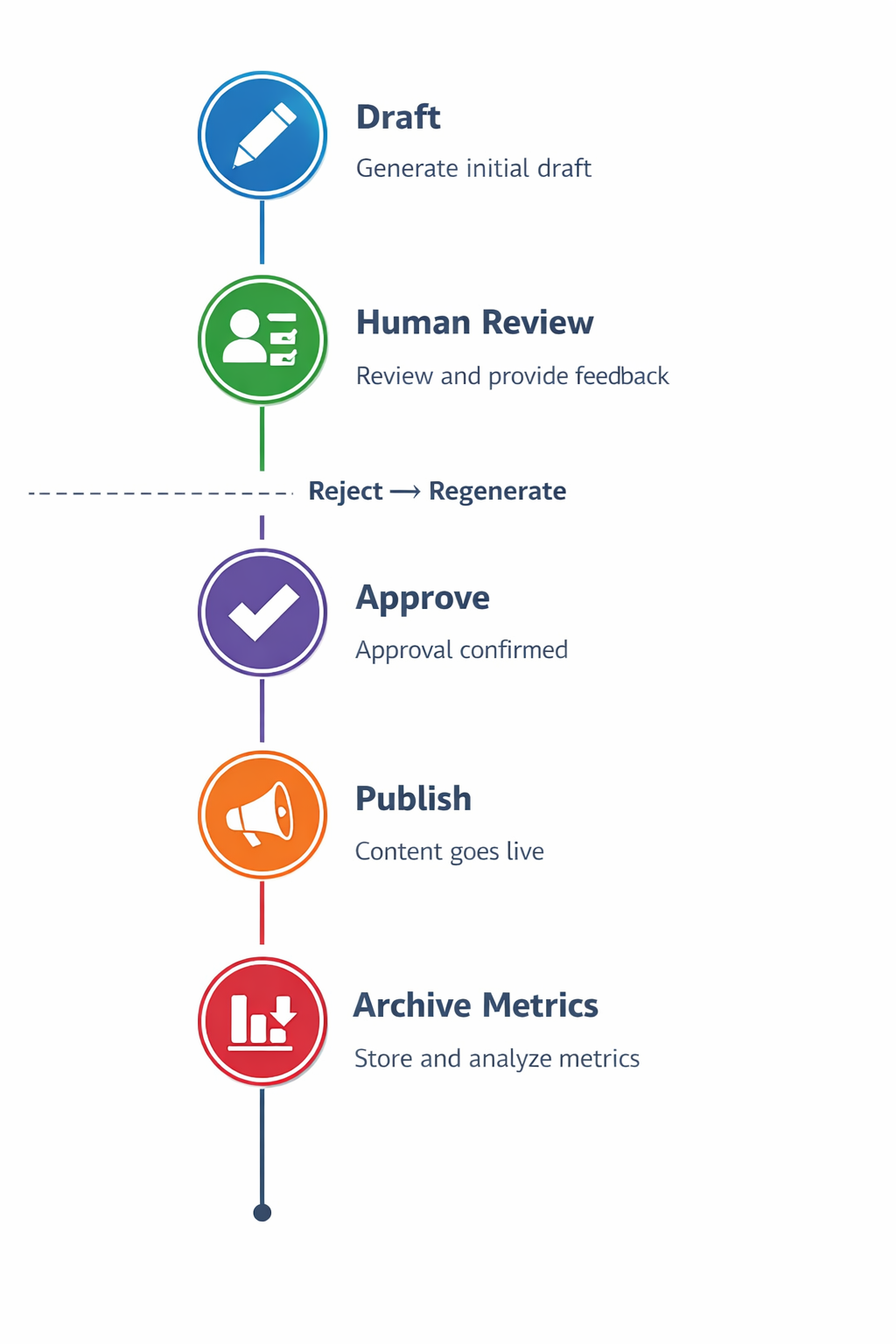
The pipeline has four stages:
- Generate — AI writes content using your brand config and a scheduled trigger.
- Review — the content is emailed to you for approval.
- Approve — you click approve (or reject) in your inbox.
- Publish — approved content is published to all connected channels automatically.
Content types
ContentFlows generates four types of content:
Newsletters
Full HTML email newsletters sent to your subscriber list via Amazon SES. Includes a spotlight section, key takeaways, a “Did You Know” sidebar, a founder note, and a CTA. AI-generated hero image included.
Blog posts
Long-form articles (700–900 words) on your content topics. Formatted in Markdown, with a cover image generated by AI. After approval, blog posts appear in your content library.
Social posts
Platform-specific posts for LinkedIn, Facebook, and Instagram. Each is independently generated with the right tone and character limits for its platform. LinkedIn posts are more professional; Instagram captions are conversational with suggested hashtags.
Documents (on demand)
Long-form documents generated on request: workout plans, SOPs, case studies, guides. Triggered manually from the dashboard or via the document generator.
Scheduling
ContentFlows runs on a configurable schedule. Your plan determines how much content is generated per month:
- Starter — 4 newsletters + 4 blogs + 12 social posts / month
- Pro — 8 newsletters + 8 blogs + 24 social posts / month
- Business — unlimited
The scheduler runs automatically. You don't need to log in to trigger generation.
The approval flow
Every piece of content is emailed to the account's admin email before it goes live. The approval email includes:
- A preview of the full content
- An Approve button — one click, no login required
- A Reject button — sends it back for regeneration
Approval links are single-use and expire after 7 days. If a link expires, you can re-trigger generation from the Content tab in your dashboard.
What happens on approval
When you click Approve:
- The content status is updated to Approved in your queue.
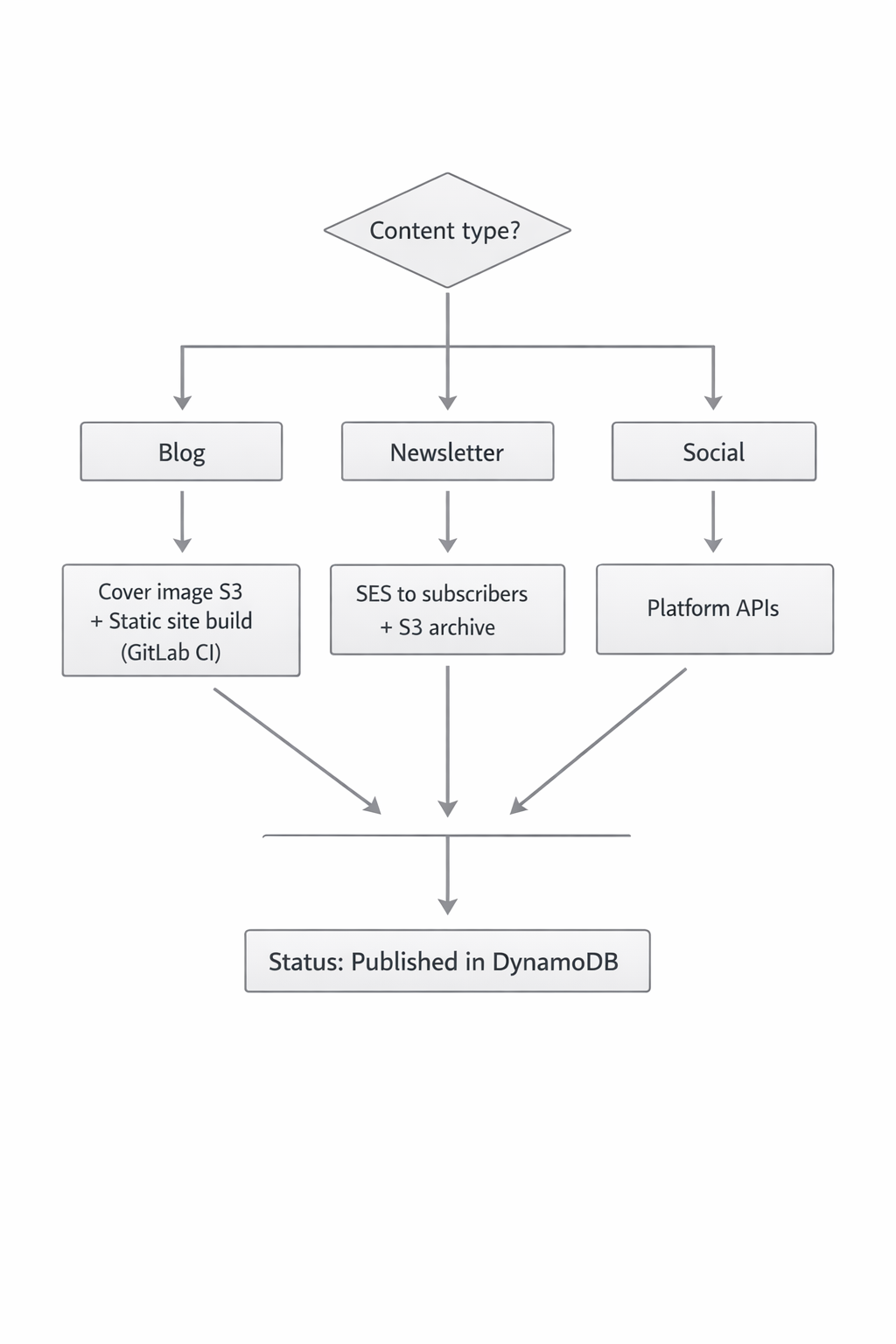
- ContentFlows immediately publishes to all connected channels appropriate for that content type.
- For newsletters: the email is sent to your full subscriber list.
- For social posts: the post goes live on LinkedIn, Facebook, and/or Instagram simultaneously.
- A confirmation email is sent to your admin address.
What happens on rejection
When you click Reject, the content is discarded and ContentFlows schedules a regeneration. You can optionally include a reason — it will be used as a hint for the next generation attempt (coming soon).
Content dashboard
The Content tab in your dashboard shows:
- The full content queue (generated, pending approval)
- Published content history
- Rejected items
- Manual generation trigger
[DIAGRAM: Content tab — queue list → item detail → action buttons (approve, reject, view)]
Screenshot of the Content dashboard tab goes here.
AI images
ContentFlows generates an AI image for every piece of content that needs one:
- Newsletter hero image
- Blog post cover image
- Social post visual (for Instagram)
Images are generated using your brand's industry and content topic as context, and stored in your private S3 bucket under tenants/{your-id}/images/.